How to role back Linux OS patch.
As a technology enthusiast with a passion for efficient operations, I specialize in Linux, AWS Cloud, Prometheus-Grafana, Security, Virtualization, and Git. With a deep understanding of these technologies, I am able to streamline development processes and ensure smooth operations for businesses.
To roll back a Linux patching update, it's important to note that the kernel cannot be directly downgraded through regular package management. This is because the kernel is typically installed as part of the OS patching process and is tightly integrated with the system. However, if you still need to downgrade the kernel version, you can achieve it by booting up from the old kernel through the GRUB menu and then removing the latest kernel. In this guide, we will explore the steps to downgrade the kernel patch.
Before proceeding, it is important to take a backup or snapshot of your system to ensure you can revert any changes if needed.
Check the current kernel version using the following command:
#uname -r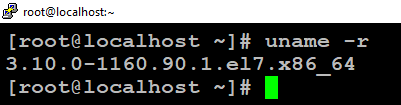
List the yum history to identify the transaction ID of the kernel update using the following command:
#yum history list all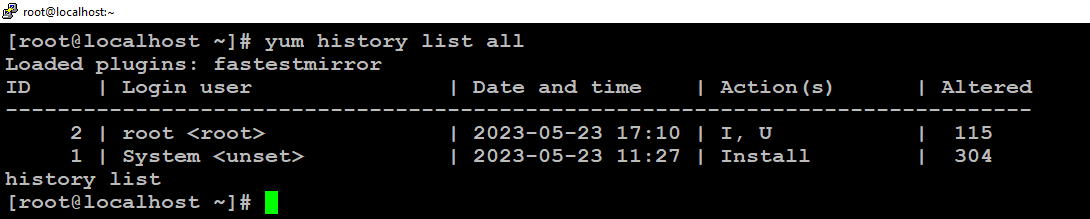
Identify the transaction ID related to the kernel update. Note down the transaction ID number i.e. here 2.
Verify the installed kernel packages using the following command:
#rpm -qa --last | grep kernel
Execute yum history undo <transaction_id> to roll back the OS as here the transaction Id is 2.
#yum history undo <transaction_id>#yum history undo 2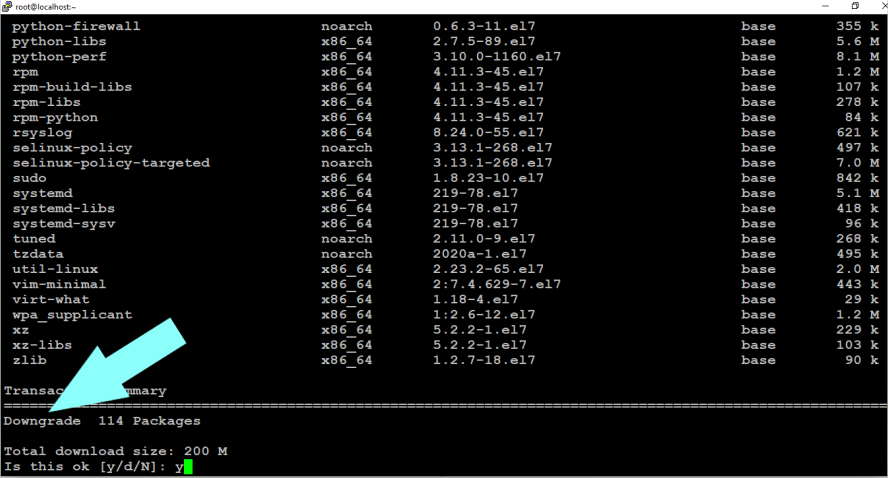
Reboot the system using the reboot command and verify that only 114 packages have been downgraded, but the kernel remains the same just because the kernel is installed.
Execute "rpm -qa | grep --i glibc" to check the version of the
glibcpackage which glibc package is also downgraded here.#reboot#yum history list all#rpm -qa | grep --i glibc

All tasks have been completed successfully, and the OS patching has been successfully downgraded. However, please note that the kernel has been installed and cannot be rolled back along with the OS patching.
It is recommended to perform a sanity check of your applications and databases by the respective teams to ensure everything is functioning properly with the rolled-back kernel version.
Remember to proceed with caution and take necessary precautions such as backups or snapshots before making any changes to your server.
All Done.
Thanks,
Anil Kushwaha